Linux on MacBook
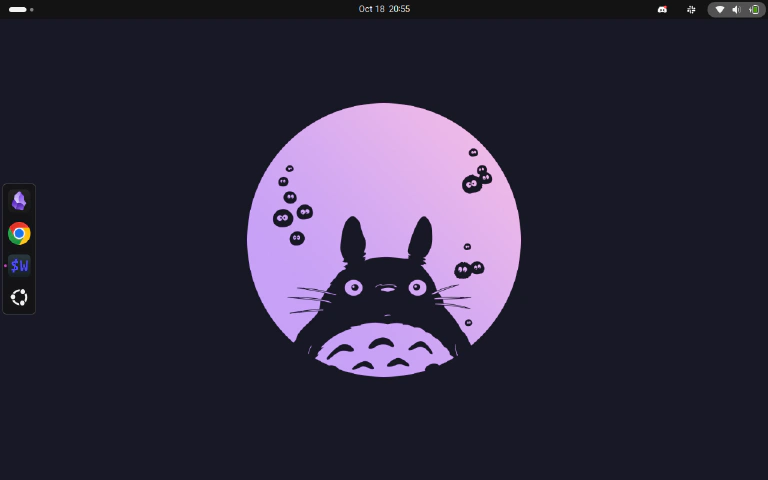
Background
I own an early 2011 MacBook (MacBookPro8,1) that I use occasionally. Unfortunately, Apple stopped supporting this hardware years ago, limiting it to macOS 10.13. Over time, many applications, including Slack, Signal, and Node.js, ceased to support this version. While older versions of Firefox and Chrome still run, modern websites have become increasingly difficult to use. With a spare micro SD card on hand, I decided to give Linux a shot on my old MacBook.
University days
During my university years, Linux and FreeBSD were booming. Many companies promoted their distributions, offering free CDs, sometimes even with delivery. I still remember receiving a pack of five CDs filled with packages. The installation process often required inserting disks out of order, and it was not uncommon to be asked for the same disk multiple times, depending on package dependencies. Back then, with limited Internet access, having a physical distribution was invaluable.
For two consequent semesters I run only Linux on my machine. At university we learned a lot of java and it was just perfect for me. I chose to use Debian as it was the most stable distribution at the time. It also had minimalistic requirements for initial setup. I installed it with smallest amount of packages then customized it to my needs. I believe I used Xfce or similar desktop manager, Opera as the browser of choice because you have great control over the images, OpenOffice as office suite. I forgot the IDE I used at that time but it wasn’t Vim for sure. Anyhow Windows had a lot of issues those days and anyone could do bad things over the network so running Linux was fun. But it required a lot of patience during the installation. As many computers had different components it was a nightmare to get all the drivers for your system. Sometimes you had to compile drivers from sources or rebuilt kernel. Other times it was easier to exchange some components with the neighbour to use existing drivers.
Eventually, changes in the curriculum shifted focus to .NET technologies. Disk space constraints meant I could no longer dual-boot Windows and Linux, leading me to say goodbye to my beloved setup. I used Windows for several years before switching to macOS, not looking back.
Back to the future
Back to my old MacBook and Linux. I decided to give different distros a try this time as I have no preferences. It looks like Arch Linux and Ubuntu are quite popular choice among youtubers, so those were on my list. I also was interested in Pop!_OS with Cosmic as well. I also added Debian 12 to the list just out of curiosity.
I started with Arch Linux. I downloaded the image and burnt it to my usb stick and try to boot. And the black screen welcomed me with all the warm. Hard reboot and nothing changed at all. Looking into the guide I decided to move along. I was not ready for drivers mess at the beginning.
The next option was Pop!_OS. As I understood it’s based on Ubuntu but I was very interested in the Cosmic desktop manager. It booted without any issues and allowed me to try the system before the installation. It seems that System76, the company behind the Pop!_OS, try to mimic the Apple business with building the hardware and the software. As I run the alpha version of Cosmic Epoch 1 I faced few issues here and there. Another problem was that my wireless card and SD reader were missing. I was not committed to spent a lot of time to dive deep into it, so I moved to Debian 12.
Debian suggests to start with the smallest iso and its’ size is under 700 Mb. Actually, it was the net installation and it forced you to install the OS instead of try it you. You still can get the live usb stick but you have to do few more clicks. I started with minimalistic image. The installer walked me through the process and notified me with the missing drivers for my wireless card. It asked to provide them from another source like cdrom, usb or floppy disk. Floppy… It even saw my SD card but failed to format it. After another attempt, I decided to try Ubuntu.
I tried both Ubuntu 24.04 and 24.10. In my personal opinion 24.04 looks a bit polished out of the box and as it has LTS I settled with it. It still missed my wireless card and SD card reader.
After the research I added firmware-b43-installer package to my system and reload bcma driver.
apt install firmware-b43-installer
modprobe -r bcma
modprobe bcma
I was able to make the SD reader working with extra configuration for sdhci driver.
echo 'options sdhci debug_quirks2=0x4' | tee \
  /etc/modprobe.d/sdhci.conf
modprobe -r sdhci-pci sdhci
modprobe sdhci sdhci-pci
The installation went well and the laptop restarted. The grub welcome screen and then the error that SD reader could not be communicated. Timeout error… I completely missed the fact that I have to customize my fresh system too. Reboot with live stick, reapply previous configuration and supply everything to the fresh system.
mount /dev/mmcXXX /mnt
cp /lib/firmware/b43 /mnt/lib/firmware-b43-installer
cp /etc/modprobe.d/sdhci.conf /mnt/modprobe.d/
chroot /mnt
echo 'cp -r /lib/firmware/b43 ${DESTDIR}/usr/lib/firmware/' | tee \
 /etc/initramfs-tools/hooks/copy-drivers
update-initramfs -v -c -k all
I also added sdhci.debug_quirks2=0x4 to the grub and run update-grub. Time to reboot… And it worked half of the time and the external card reader helped to boot. I am still looking around for the permanent solution for it.
Tip
The live stick has extra volume which is available for write. I suggest to mount one of them and copy b43 drivers there. You will not have to use Ethernet interface between the restarts in the future.
After a bit of setup my old laptop could run latest versions of apps which I missed on the mac OS X 10.13. I never used tilling before and it seems a great feature. Snap is a great way to install some apps like Slack. Audio is working out of the box. The trackpad and keyboard don’t require extra drivers and you can change volume and brightness. The same about mic and camera.
Conclusion
I believe that with better preparation for each distribution, I can successfully install them. I should be able to resolve the wireless drivers similarly to how I did with Ubuntu. Xfce is still available, and I could explore that option as well. My choice of Ubuntu was influenced by the focus of Omakub and the Ruby community’s recommendations for a developer setup. If there’s a local community available, ask them to assist you with their distribution of choice. My advice - don’t use SD card as a main disk.
Is Linux better than macOS? Personally, I don’t think so. In my view, Apple creates the best hardware for laptops and offers an exceptional UI/UX experience. I appreciate not having to deal with drivers and fonts. It would be fantastic if Linux could reach the same level of maturity as macOS, but there’s still a lot of work to be done.
But Linux is a great for giving these old MacBooks the second life. Taking into account that they could be upgraded with new SSD disks and memory they could run a lot of things for many years. It will require extra setup time but you will learn a lot about Linux. The community will help. Many people share their setups and workarounds. With some patience you will get a nice laptop.
Update Nov 16, 2024
After some initial play I switched to Debian 13. While it’s in testing it performs very well. I like Gnome 47 and other updates. I bought the new SSD disk to stop the drama with micro sd card. I started to notice that a lot of people use Linux at work. I also haven’t seen any major issues.